










Best Power BI visuals for executive decks enable organizations to transform complex datasets into clear, actionable insights for senior leadership. Highlighting strategic performance, these visuals integrate high-level KPIs, trend analyses, and variance indicators, allowing executives to grasp organizational health at a glance. Combining narrative context with interactive elements, such as drill-throughs and slicers, ensures that leaders can explore granular data without losing the overarching perspective. By prioritizing clarity, hierarchy, and design consistency, these visuals foster rapid comprehension, support informed decision-making, and reinforce credibility. This article examines how thoughtfully selected Power BI visuals enhance executive presentations, streamline insight delivery, and align reporting with strategic objectives.
Best Power BI visuals for executive decks That Highlight Strategic Performance
Highlighting strategic performance requires selecting visuals that convey key insights with clarity, precision, and executive focus. Dashboards integrate high-level metrics, narrative annotations, and concise visual elements, ensuring that leaders quickly grasp performance indicators. Executive-level KPI storytelling contextualizes each metric within organizational priorities, linking performance outcomes to strategic objectives. Visual designers complement traditional charts with advanced visuals, such as custom KPI cards, scorecards, and trend visuals, which collectively deliver a comprehensive overview of operational and strategic outcomes. Dashboard clarity and hierarchy structure information logically, allowing executives to navigate from summary-level indicators to detailed insights seamlessly. Consistent color palettes, typography, and premium formatting unify visual storytelling, reinforcing credibility and professional presentation standards.
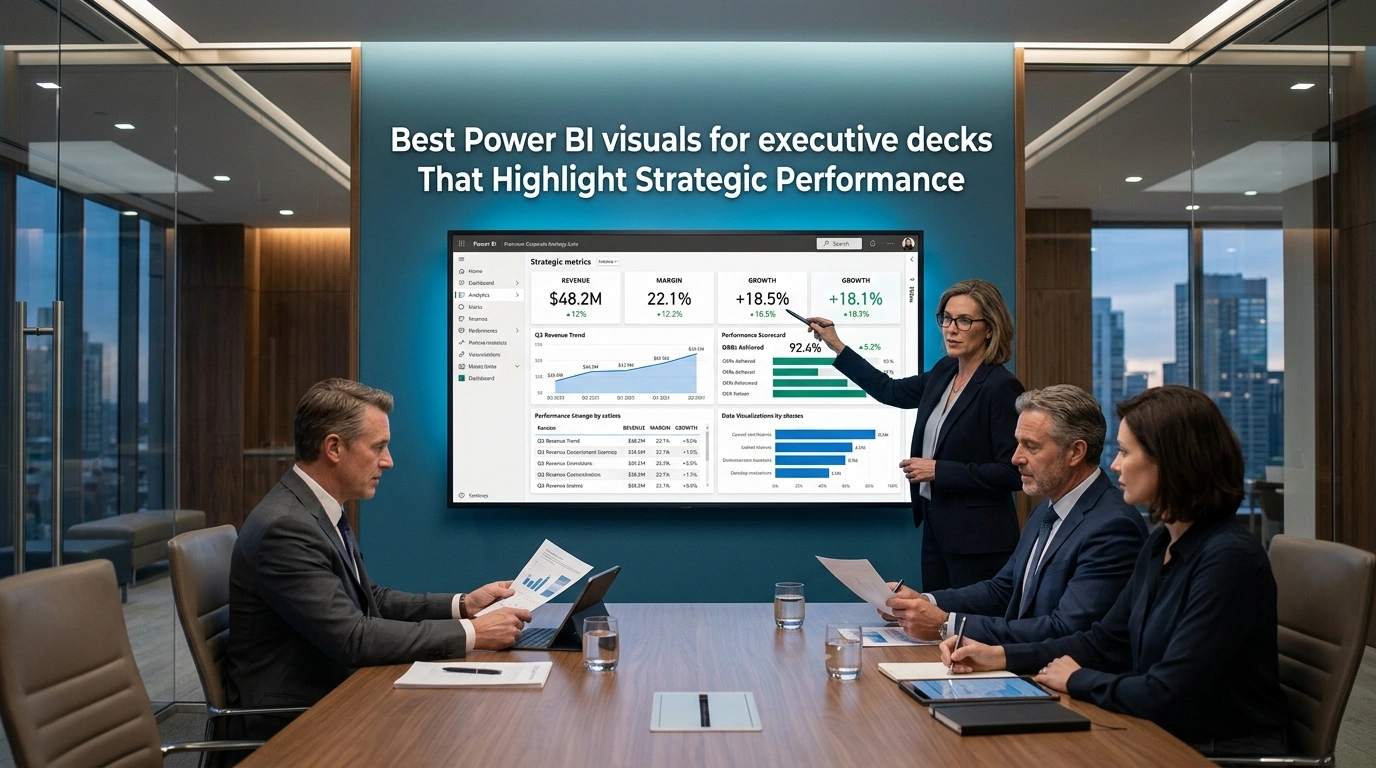
Filtering and slicer interactions allow leaders to explore detailed data while maintaining a top-level perspective. Metrics connect to organizational objectives, illustrating performance trends in relation to strategic goals. Analysts use variance and deviation visuals to highlight areas of underperformance or overachievement, supporting high-impact visual prioritization for executive decision-making. Dynamic visuals update in real-time to reflect current performance, reinforcing the relevance and timeliness of insights. Each visual supports a logical flow, guiding executives from broad strategic indicators to granular analyses, fostering deeper understanding.
Narrative elements explain causal relationships behind trends, contextualizing data within strategic initiatives. Summaries adjacent to key visuals clarify major takeaways without overwhelming cognitive load. Interactivity, including drill-throughs and tooltips, enables executives to explore underlying factors behind high-level metrics. Strategic performance visualization requires orchestration of graphical elements, interactivity, narrative framing, and design consistency, collectively enhancing comprehension and executive impact. Insights align with investor and CEO communication focus and executive decision-making priorities.
Selecting KPI cards for high-level business snapshots
KPI cards summarize essential metrics succinctly and visually, enabling leaders to assess organizational health at a glance. Dashboard designers place primary KPIs at the top with secondary metrics below for context. Executive-level KPI storytelling articulates how each metric contributes to strategic objectives and operational priorities. Designers differentiate KPI categories with subtle color coding, icons, or shapes, enhancing visual persuasion techniques for leadership. Cards are arranged logically to reveal correlations and dependencies, strengthening dashboard clarity and hierarchy. Dynamic thresholds and conditional formatting indicate performance relative to targets, facilitating rapid identification of areas needing attention.
Historical comparisons combined with real-time data show both current status and performance trajectory. KPI selection aligns with executive priorities, focusing on high-impact indicators that influence strategic decisions and support premium formatting and design consistency. Designers maintain consistent sizing and spacing across KPI cards to reduce visual clutter and enhance readability. Narrative labels or tooltips clarify calculation methods and definitions. Structured KPI cards enable swift, intuitive analysis of organizational performance.
Designers structure KPI cards to reinforce the logical hierarchy of information, ensuring executives can interpret metrics efficiently. Clarity and focus in each card support decision-making at the board level. Interactivity allows exploration of detailed metrics without disrupting the overall snapshot of business performance.
Using scorecards to compare executive goals and outcomes
Scorecards aggregate multiple metrics in a single view, highlighting performance gaps between goals and actual outcomes. Analysts display targets alongside achieved results to facilitate rapid assessment of strategic alignment. Visual persuasion techniques, using progress indicators or color-coded symbols, make deviations or achievements immediately clear. Scorecard elements link to detailed datasets through drill-through interactions, enabling executives to explore causative factors without leaving the overview. Temporal comparisons show trends in goal attainment over successive periods, clarifying long-term strategic progress.
Multiple dimensions, including departmental and regional performance, contextualize results within organizational complexity. Summary commentary adjacent to metrics reinforces understanding. Scorecard design aligns with dashboard clarity and hierarchy principles to ensure critical insights are immediately recognizable. Connections between scorecards, KPI dashboards, and variance analysis create a cohesive visual narrative supporting strategic presentation of insights. Designers maintain design consistency with typography, color schemes, and spacing to uphold professional standards.
Scorecards guide prioritization of interventions, allocation of resources, and recognition of successful initiatives. Executives interpret performance at a glance while accessing deeper contextual data. Insights integrate into broader executive communications to maintain alignment with strategic objectives and decision-making priorities.
Applying trend lines to show performance movement over time
Trend lines track key metrics across defined intervals, emphasizing direction, velocity, and variability. Analysts layer multiple trend lines to compare departments, product lines, or geographies, revealing relative performance differences. Annotated trends with significant events, such as market shifts or policy changes, contextualize deviations and accelerations, supporting strategic presentation of insights.
Smoothing techniques reveal underlying patterns without obscuring important fluctuations. Interactivity allows executives to zoom into specific periods or filter by categories, enhancing exploratory analysis. Trend lines combine with KPI overlays or markers to connect temporal performance to strategic thresholds. Consistent scales and axes facilitate accurate cross-comparison, reducing cognitive load.
Color transitions or gradient fills highlight upward or downward trajectories, reinforcing rapid perception of trends. Trend analyses connect to broader performance narratives, demonstrating how operational changes influence strategic outcomes. Premium formatting ensures trend visuals are immediately interpretable. Temporal insights provide actionable information for executive decision-making and strategic review.
Presenting variance visuals for quick leadership interpretation
Variance visuals, such as waterfall charts, bullet graphs, or deviation bands, depict differences between actual and planned performance. Designers prioritize high-impact discrepancies and minimize extraneous data to enhance clarity. Positive and negative deviations are highlighted with distinct colors or symbols to facilitate immediate interpretation. Annotations explain drivers behind discrepancies, improving executive understanding. Combining variance analysis with trend data illustrates both magnitude and direction of performance changes.
Interactive filtering isolates specific business units, periods, or KPIs, enabling targeted analysis. Summaries adjacent to visuals clarify key findings without cluttering graphics. Variance visual design aligns with the overall dashboard hierarchy, ensuring seamless integration into executive presentations. Connections between variance insights, scorecards, and KPI summaries illustrate relationships between expected and actual outcomes. Designers maintain consistent typography, color schemes, and spacing to uphold professional standards.
Variance visuals enable executives to grasp deviations quickly, prioritize corrective actions, and reinforce high-impact visual prioritization for executive decision-making. Integration into broader executive communications maintains strategic coherence. Presentation supports investor and CEO communication focus while preserving clarity and interpretability.
Best Power BI visuals for executive decks That Improve CEO Decision‑Making
Elevating senior leadership reporting and strategic presentation through Best Power BI visuals for executive decks involves privileging clarity of insight and decision relevance over visual complexity or quantity of elements. High-impact, intuitive visuals improve CEO decision-making because executives often have limited time and require insight at a glance. Dashboards that combine KPI cards, trend lines, bar and column comparisons, and visual variance indicators allow strategic patterns to emerge instantly and support executive deliberation.

Executive-level KPI storytelling enhances the narrative power of each visual so that metrics communicate performance and strategic progress in a way that resonates with CEO and investor audiences. Time trend plots and line charts contextualize performance trajectories over time, revealing emerging patterns and turning points that are essential for long-range planning while strategic presentation of insights frames each trend to support critical business decisions. Bar and column charts support categorical comparisons across business units, markets, or product lines by making differences and rankings easily visible, and waterfall charts visualize cumulative effects of positive and negative contributions to totals such as net income, which proves particularly useful for executive financial reviews.
Interactive slicers and filters allow users to isolate specific segments or time ranges without overwhelming the page, converting raw data into succinct visual narratives. Matrix visuals support structured comparisons across dimensions and subtotals when executives need to validate detailed component figures alongside aggregated insights. Premium formatting and design consistency reinforce credibility, making the deck visually persuasive and professionally polished while ensuring that insights drive confident, focused decisions.
Designing executive dashboards around decision priorities
Aligning Best Power BI visuals for executive decks with decision priorities requires constructing dashboards that answer the fundamental questions executives care most about, such as whether the business is on track, where issues lie, and what requires attention. The dashboards deliver insights in a form that reflects those priorities and function as narrative tools rather than data displays. High-level KPI cards signal performance against strategy, and subsequent visuals layer in comparative contexts such as time trends or segment breakdowns.
Conditional formatting or trend cues quickly signal areas where performance deviates from expectations, and juxtaposing variance charts alongside trend and comparison charts yields richer interpretation. Waterfall charts and cascade visuals illustrate how individual factors contribute to overall totals, transitioning from raw numbers to a story of change that executives can interpret directly.
Matrix visuals provide a hierarchical view of structured performance comparisons across multiple dimensions, allowing executives to cross-validate trends with subtotals and group aggregates. Slicers and interactive filters tuned to strategic dimensions like region, product category, or time period enhance the decision focus by enabling leaders to narrow the context without leaving the dashboard. High-impact visual prioritization for executive decision-making enables leaders to go from data to insight in seconds rather than minutes while maintaining clarity and strategic focus.
Showing financial insights through waterfall visuals
Waterfall visuals make complex changes in financial metrics digestible for executive audiences by showing how individual positive and negative contributions accumulate to affect totals such as net profit or cash flow. They help executives understand not only where financial performance stands but also why it arrived there, linking fluctuations in revenue, expense, and other drivers to the overall outcome.
Visual persuasion techniques for leadership guide attention to critical variances and frame financial dynamics strategically. The color-coding of increases and decreases allows executives to instantly identify performance drivers, and combining waterfall visuals with matrix or card visuals anchors financial movements to key KPI measures, producing a coherent and actionable narrative.
Presenting waterfall visuals alongside other summary visuals reinforces interpretation by situating step-level changes within overall trends and comparisons, allowing decision-makers to trace the impact of strategic initiatives or unforeseen changes on high-level outcomes. The visualization of financial dynamics delivers both quantitative and contextual information essential for executive reflection and strategic choice.
Using matrix visuals for structured performance comparisons
Matrix visuals provide structured, multidimensional comparisons by combining the clarity of tabular detail with hierarchical grouping and conditional formatting that aid interpretation. They support side-by-side comparison of performance across categories such as business units, regions, or product lines and allow executives to see aggregate totals, subtotals, hierarchies, and drill-down context in one unified view.
Presenting a matrix alongside card and trend visuals produces a dual narrative, where charts provide the visual story and matrices provide structured detail that reinforces confidence in observed patterns. Conditional formatting and highlight thresholds within matrix cells make underperformance or overachievement visible without cluttering the dashboard with additional charts, and subtotals placed at logical breaks provide a sense of performance at multiple levels of abstraction.
Interactive slicers and filters allow leaders to focus the view on particular segments or time periods without compromising the high-level focus required for decision-making. Strategic framing of these comparisons strengthens investor and CEO communication focus, ensuring that every structured comparison communicates a clear, executive-relevant message. Matrix visuals act as both validation tools and comparative lenses that support executive interpretation without overwhelming the viewer.
Combining slicers and filters for focused executive review
Slicers and filters enhance an executive’s ability to conduct focused review by allowing the dashboard to adapt in real time to specific contexts without altering the narrative structure. Slicers provide flexibility to isolate particular segments or scenarios, such as a specific region, product line, or time period, while filters allow deeper refinement of analytical focus.
Synchronizing slicers across multiple report pages or controlling which visuals are affected by a given slicer maintains coherence while enabling executives to explore targeted slices of data within the same visual logic. Executives can pivot from broad performance snapshots to nuanced breakdowns of particular dimensions without interrupting the decision-centric flow.
Premium formatting and design consistency ensures that dynamically updated visuals remain visually coherent, reinforcing executive trust and professional integrity. Combining slicers and filters supports both executive preference and strategic exploration while maintaining clarity and immediacy of insight delivery at the CEO level.
Executive Storytelling Through Power BI Visuals for Board Presentations
Aligning Best Power BI visuals for executive decks with executive storytelling through Power BI visuals for board presentations requires crafting a coherent narrative that transforms raw data into insights that executives can interpret and act upon. Executive-level KPI storytelling ensures that each visual emphasizes critical measures, translating complex datasets into concise, decision-ready information. High-level measures such as overall revenue growth or customer acquisition rates progressing toward detailed supporting analytics reinforce strategic presentation of insights aligned with CEO and investor expectations.

Providing context such as comparison to targets and prior periods enhances interpretability, allowing board members to quickly assess whether performance meets objectives or requires attention. Linking visualizations across report pages through meaningful sequencing and dashboard clarity and hierarchy enables board members to follow a logical flow from summary dashboards to underlying elements without confusion. Dynamic textual summaries integrated with visual elements highlight patterns or anomalies within complex data, supporting visual persuasion techniques for leadership.
Structured storytelling combined with premium formatting and design consistency minimizes cognitive load and maximizes decision-readiness. Clarity, coherence, and strategic impact ensure that insights support informed decision-making and executive-level communication. High-impact visual prioritization emphasizes the most critical metrics and enhances the overall effectiveness of Best Power BI visuals for executive decks.
Building narrative flow with report page sequencing
Report page sequencing guides viewers progressively from overarching metrics to detailed insights, reinforcing clarity in executive consumption. Sequencing from high-level executive summaries to segmented or filtered detailed pages provides clear direction, while transitional screens and visual cues maintain continuity so each page builds on the previous one and supports the narrative arc.
Grouping related visuals or themes on consecutive pages maintains the audience’s cognitive context and strengthens dashboard clarity and hierarchy, reducing abrupt topic shifts that could disrupt comprehension. Visual bookmarks or navigation buttons aligned with narrative segments function as signposts, guiding executives through complex analytical terrain effectively.
Brief textual explanations linking pages summarize presented information and foreshadow subsequent content, preserving story coherence and enhancing strategic presentation of insights. This sequencing supports Best Power BI visuals for executive decks by establishing a natural and logical flow, enabling leadership to absorb insights in a manner consistent with strategic priorities.
Using decomposition trees to explain business drivers
Decomposition tree visuals enable exploration of root causes and business drivers by breaking down key metrics across hierarchies in a structured format. Carefully selected dimensions allow stakeholders to interactively examine factors influencing results, and AI-assisted splits combined with manual branching paths guide interpretation of high and low values within the hierarchy.
Selecting appropriate measures and dimensions prevents clutter and emphasizes core business drivers, enabling executives to identify the most significant influences on outcomes. Explanatory labels and contextual information around branches translate analytical paths into actionable insights and reinforce executive-level KPI storytelling.
Decomposition trees provide a visual representation of the structure of performance metrics, supporting high-impact visual prioritization for executive decision-making. Integration into executive dashboards clarifies cause-and-effect relationships, emphasizes actionable insights, and strengthens the analytical value of Best Power BI visuals for executive decks.
Presenting geographic performance with map visuals
Geographic performance displayed through map visuals introduces spatial context into executive dashboards, allowing assessment of how location-based patterns affect business outcomes. Proper categorization of geographic fields and inclusion of latitude/longitude or hierarchical location data improve visual accuracy, while overlaying business measures such as sales volume, customer acquisition, or operational KPIs provides clear insight into regional performance.
Selecting appropriate map types, whether point maps for discrete locations or filled maps for area-level intensity, aligns the presentation with the geographic dimension of the analysis. Filtering and drill-down capabilities enable executives to explore performance across multiple scales while maintaining context, enhancing strategic presentation of insights.
Map visuals connect data to real-world geography, highlighting trends and patterns that may be obscured in non-spatial representations. Spatial insights support investor and CEO communication focus, providing clarity on location-specific opportunities and risks and reinforcing the impact of Best Power BI visuals for executive decks.
Supporting leadership narratives with drill-through insights
Drill-through functionality connects summary visuals to detailed data segments, enabling leadership to navigate from high-level overviews to specific subsets while maintaining context. Configuring drill-through on key visuals directs executives to pre-filtered detail pages that explain metric behavior consistently with the overarching analysis.
Detail pages structured with supporting visuals, tables, or trend analyses provide substantive evidence for observed patterns, and maintaining filter context preserves analytical continuity. These practices reinforce executive-level KPI storytelling and maintain premium formatting and design consistency.
Drill-through functionality bridges high-level perspectives with granular evidence, enabling leadership to validate insights efficiently while maintaining clarity. This capability strengthens high-impact visual prioritization for executive decision-making and enhances the overall effectiveness of Best Power BI visuals for executive decks.
Design Standards for Best Power BI visuals for executive decks
Developing design standards that support Best Power BI visuals for executive decks aligns visualization decisions with clear communication goals so that strategic insights become immediately perceptible and meaningful to executive audiences. These standards emphasize clarity over ornamentation, guiding how elements are arranged, formatted, and connected across an executive deck to convey a cohesive narrative rather than isolated metrics. Establishing a consistent layout grid and predefined canvas size creates structural unity across pages, focusing on limiting visuals per page to reduce cognitive load and performance lag while maintaining a professional aesthetic.

Integrating premium formatting and design consistency enhances both visual appeal and credibility, ensuring that each slide projects a polished executive-level presentation. Applying these standards to design choices, such as selecting KPI cards for headline metrics, line charts for trend representation, bar charts for comparisons, and simplified tables for detail, creates a disciplined visual language that supports executive decision-making without distraction. Strategic presentation of insights ensures that every visual serves a specific purpose, guiding executives from headline metrics to contextual detail with narrative coherence.
Iterative refinement of layout patterns and alignment of elements using snap-to-grid and spacing conventions reinforces dashboard clarity and hierarchy, ensuring that the most critical contextual insights surface first in the narrative flow across pages. This approach achieves a balance between analytical depth and communicative efficiency. Leadership can grasp key issues quickly and confidently while each deck maintains a consistent, strategic visual framework.
Applying visual hierarchy for faster executive comprehension
Structuring content according to visual hierarchy enhances how quickly an executive audience can grasp the core messages embedded in Best Power BI visuals for executive decks, with the highest priority elements placed foremost in the viewing sequence. Placing KPI summaries and headline figures at the uppermost and most prominent positions ensures that key business indicators register within seconds of first glance. Supporting trend charts or comparative visuals positioned beneath or adjacent build context logically without overwhelming the viewer.
Executive-level KPI storytelling allows each metric to narrate its strategic implication, creating a cognitive flow where executives interpret data as part of a broader organizational narrative. Size and contrast guide attention naturally, while lesser supporting visuals occupy descending visual prominence to avoid competition for attention. Grouping related information by topic or function enables pattern recognition and narrative progression within a page or across slides, helping executives move from summary to detail without cognitive disruption.
Structured hierarchy allows executives to rapidly interpret the strategic questions the deck addresses, moving from immediate insight to deeper understanding without reconciling arbitrary or conflicting visual signals. High-impact visual prioritization for executive decision-making ensures that the most relevant insights receive immediate attention. Dashboards designed with visual hierarchy enable more efficient and confident executive decision-making.
Maintaining consistent colors and typography across deck pages
Ensuring color and typography consistency across Best Power BI visuals for executive decks reinforces continuity and interpretive fluency, with uniform application of theme elements building familiarity and reducing cognitive friction for executive viewers. Consistent color schemes make data semantics intuitive, with specific hues allocated to recurring categories or value conditions and neutral backgrounds enhancing contrast and legibility. Typography standards contribute equally to readability, where a singular font family and defined size hierarchy for titles, labels, and contextual text create a predictable rhythm that supports scanning and comprehension.
Premium formatting and design consistency across every page ensures a cohesive visual identity that aligns with executive expectations and reinforces trust in the insights presented. Matching number formats, axis label styling, and text alignment across visuals prevents visual jarring, supporting comparative interpretation across time periods or categories. This consistency helps executives quickly absorb insights and reduces the potential for misinterpretation.
Consistency in styling safeguards against miscommunication and reinforces investor and CEO communication focus. Uniform application of visual standards improves executives’ ability to comprehend strategic insights efficiently. Reliable visual conventions enable informed decision-making with confidence.
Reducing clutter through focused chart selection
Reducing clutter by selecting only the most pertinent charts shapes the communicative effectiveness of Best Power BI visuals for executive decks, where each visual plays an intentional role in conveying a specific strategic insight. Excessive or redundant visuals increase cognitive load, slow performance, and dilute clarity that executives rely upon in high-level reviews. Focusing on charts that answer executive questions about performance, trends, or deviations ensures that each visual adds value.
Visual persuasion techniques for leadership enhance each chart’s impact, emphasizing comparisons, highlights, and variance indicators that draw attention to critical opportunities or risks. Limiting the number of key visuals aligns with cognitive research on attention span and supports rapid interpretation, allowing executives to derive insight efficiently. Interactive drill-throughs or tooltips provide additional detail without congesting the main executive view.
Reducing clutter streamlines the flow of information while preserving analytical depth. Executives can focus on the most meaningful metrics without distraction. Strategic presentation of insights ensures that the deck communicates its message clearly and effectively.
Aligning Power BI visuals with CEO-level reporting expectations
Aligning visuals with CEO-level reporting expectations requires that Best Power BI visuals for executive decks be strategically oriented toward high-impact insights, concise storytelling, and actionable context. Executives expect visuals that highlight key performance indicators, reveal trends over time, and delineate comparative performance across dimensions such as region or product line. Presenting standard but meaningful chart types allows leaders to interpret data quickly and confidently.
Executive-level KPI storytelling ensures that each metric not only communicates current results but also conveys actionable insight. Strategic presentation of insights maintains a consistent narrative across slides, guiding decision-making and highlighting the most relevant trends. Contextual labels, variance indicators, and trend direction signals provide clarity and support the evaluation of performance relative to organizational objectives.
Engagement across multiple devices requires accessibility, clarity, and consistency in visual design, which reinforces confidence in the data presented and aligns with enterprise reporting conventions. Investor and CEO communication focus strengthens alignment with organizational priorities and enhances strategic insight. Visualization integrated with business context enables leaders to evaluate organizational performance with precision and informed judgment.
Incorporating Best Power BI visuals for executive decks elevates executive communication and decision-making effectiveness. Through a combination of KPI cards, scorecards, trend lines, variance visuals, and interactive filtering, dashboards deliver both strategic context and actionable detail. Maintaining visual hierarchy, consistent formatting, and narrative clarity ensures that insights are immediately interpretable while supporting CEO and investor communication. By strategically selecting and orchestrating visuals, organizations can provide executives with focused, high-impact presentations that accelerate understanding, facilitate prioritization, and reinforce the strategic value of data-driven insights.