










Power BI mobile app for executives has become an essential component of modern enterprise leadership because organizations increasingly depend on real-time visibility, mobile responsiveness, and continuous access to operational intelligence across distributed business environments. Supporting faster executive coordination, the platform allows leadership teams to monitor KPIs, financial performance, operational activity, and strategic developments directly from smartphones and tablets without relying exclusively on traditional desktop reporting systems. Expanding enterprise agility further, mobile BI environments improve executive awareness during travel, remote meetings, and cross-regional oversight activities by delivering continuously updated dashboards and alerts. This article reviews how the Power BI mobile app for executives strengthens mobile reporting, executive responsiveness, governance, cross-device accessibility, and future-ready business intelligence strategies across modern organizations.
Power BI mobile app for executives: real-time visibility and decision support
Providing enterprise-scale visibility, the Power BI mobile app for executives strengthens executive mobile accessibility by delivering dashboards, KPIs, alerts, and operational summaries directly to leadership devices used during travel, remote meetings, and regional oversight activities. Supporting strategic mobility for enterprise leadership, the platform enables decision-makers to remain connected to business performance without depending exclusively on desktop reporting environments or delayed briefing cycles. Expanding operational flexibility, the Power BI mobile app for executives supports on-the-go executive decision-making by allowing leaders to evaluate financial indicators, operational disruptions, customer activity, and regional performance while moving between departments, locations, or client engagements. Connecting mobile analytics with enterprise responsiveness, the platform helps organizations reduce delays between performance changes and leadership awareness, which contributes to leadership agility through mobile BI environments.
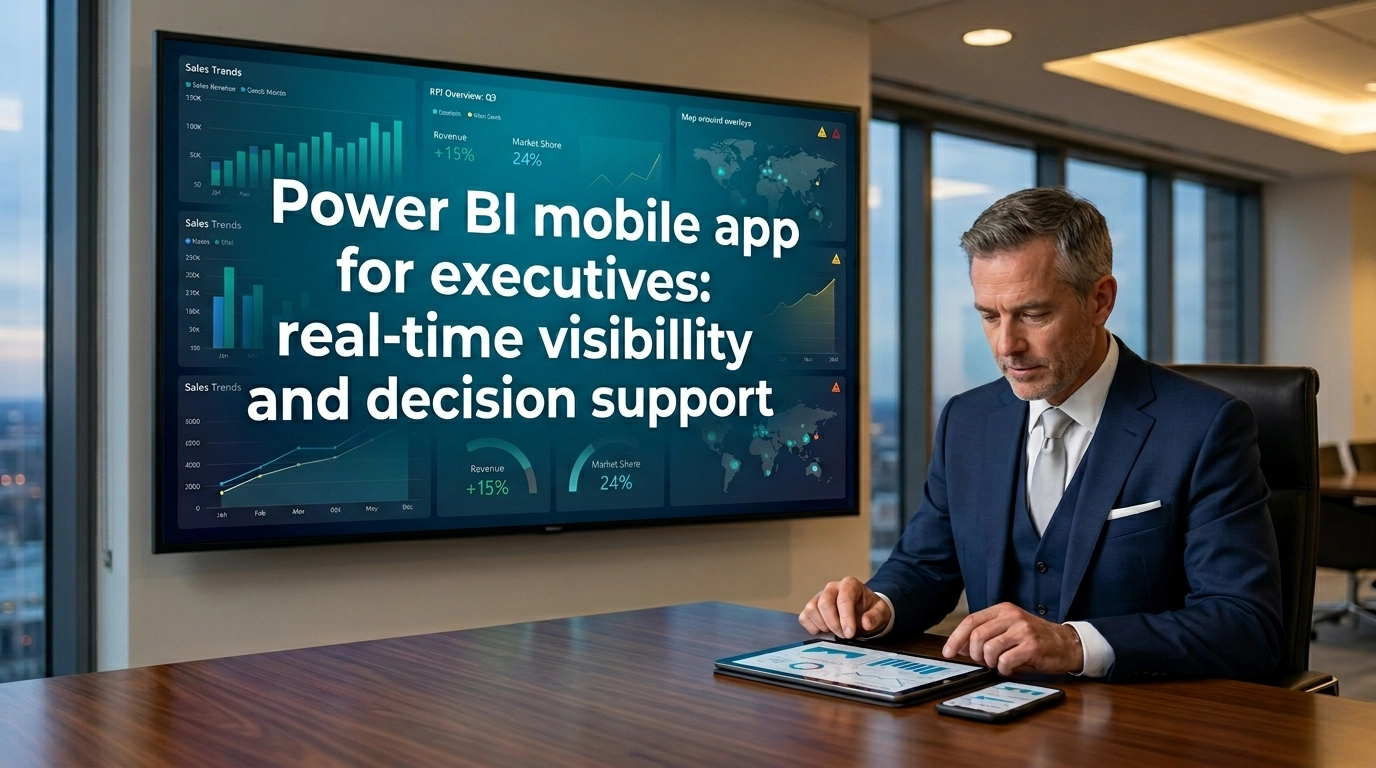
Reinforcing enterprise transformation efforts, the Power BI mobile app for executives improves remote executive oversight by giving leadership teams continuous access to performance summaries across finance, operations, customer service, workforce management, and enterprise projects regardless of geographic location. Supporting fast-response business intelligence workflows, mobile reporting allows executives to identify deteriorating metrics, operational bottlenecks, or revenue fluctuations early enough to support immediate escalation or coordination discussions. Strengthening executive responsiveness, the combination of mobile dashboards and instant executive alerts and insights helps leaders focus on exceptions requiring attention instead of manually reviewing operational reports. Aligning mobile visibility with strategic governance, the platform also supports secure enterprise reporting structures through controlled sharing, role-based access, and protected dashboard distribution.
Enhancing enterprise modernization initiatives, the Power BI mobile app for executives transforms executive reporting from static periodic review processes into a more adaptive operational intelligence environment capable of supporting continuous leadership awareness. Improving organizational coordination, mobile reporting environments help executives maintain visibility across distributed business functions without waiting for manually prepared summaries from separate teams. Supporting executive continuity, the platform allows leadership discussions to remain connected to current operational conditions even when executives are working remotely or moving between regions. Connecting these operational dimensions together, the Power BI mobile app for executives contributes to faster strategic interpretation, more agile oversight processes, and stronger executive continuity across distributed business environments.
Executive dashboard design principles in the Power BI mobile app
Emphasizing usability in executive environments, dashboard design principles within the Power BI mobile app for executives rely heavily on mobile dashboard optimization to ensure critical business information remains readable, actionable, and strategically prioritized on smaller screens. Supporting executive mobile accessibility, mobile layouts are typically structured around concise KPI cards, simplified navigation paths, clear visual hierarchy, and rapid interpretation patterns suited for leadership workflows occurring between meetings, flights, regional visits, and remote collaboration sessions. Preserving operational clarity, the Power BI mobile app for executives performs most effectively when dashboard elements immediately communicate business status without forcing executives to interpret excessive detail during time-sensitive situations. Aligning design priorities with leadership agility through mobile BI, mobile dashboards should therefore prioritize strategic indicators, performance exceptions, and directional trends instead of dense analytical visualizations intended primarily for operational analysts.
Supporting executive efficiency, the strongest dashboard experiences often begin with a high-level strategic summary before gradually exposing deeper operational context through drill-through interactions or secondary report pages. Improving cross-device reporting experience, organizations frequently design dashboards that preserve visual consistency across smartphones, tablets, laptops, and desktop environments so executives can transition smoothly between devices during different stages of leadership review. Maintaining visual coherence, optimized layouts also improve readability by reducing clutter, balancing spacing, and emphasizing strategically relevant metrics. Supporting leadership workflows further, effective dashboard structures often rely on consistent labels, aligned reporting periods, and simplified navigation paths that reduce interpretation time during executive review sessions.
Connecting these design principles with enterprise modernization goals, the Power BI mobile app for executives helps organizations establish reporting systems capable of supporting both mobility and governance without sacrificing clarity or usability. Strengthening strategic interpretation, executive dashboards become more valuable when KPI relationships, operational priorities, and business trends remain visible across every device used by leadership teams. Supporting remote executive oversight, optimized mobile dashboards also reduce dependence on manually prepared executive summaries because live dashboards can continuously present updated organizational conditions. Expanding enterprise reporting capabilities further, the Power BI mobile app for executives transforms executive dashboard design from a static presentation interface into a responsive leadership environment centered on speed, accessibility, and strategic mobility.
Key metrics and KPI tracking for leadership on mobile devices
Organizing enterprise performance indicators, the Power BI mobile app for executives supports real-time KPI monitoring by presenting strategic metrics through mobile dashboards designed for continuous leadership visibility rather than delayed reporting cycles. Strengthening executive awareness, mobile KPI environments allow leaders to monitor revenue performance, operational efficiency, customer trends, workforce indicators, project execution, and financial stability while remaining outside traditional office settings. Supporting strategic mobility for enterprise leadership, the Power BI mobile app for executives enables executives to compare targets with current performance during travel, remote meetings, cross-regional reviews, and executive coordination sessions. Improving on-the-go executive decision-making, mobile KPI tracking reduces dependence on static reports because leadership teams can evaluate current organizational conditions directly from smartphones or tablets connected to enterprise data environments.
Extending this capability into operational governance, the Power BI mobile app for executives helps leadership identify whether business performance is improving, stabilizing, or deteriorating before formal review meetings take place. Enhancing fast-response business intelligence workflows, executives can quickly detect underperforming regions, delayed operational activities, rising costs, or declining customer indicators without requesting additional manual summaries from departmental teams. Supporting enterprise-scale reporting consistency, KPI tracking environments typically organize metrics through structured categories related to finance, operations, workforce management, customer engagement, and regional performance analysis. Reinforcing strategic alignment, mobile KPI environments also help executives compare long-term business targets with short-term operational movement in real time.
Linking these KPI structures together, the Power BI mobile app for executives creates a unified mobile intelligence layer capable of supporting remote executive oversight across geographically distributed operations. Strengthening leadership agility through mobile BI, the platform also enables executives to shift rapidly between strategic summaries and operational detail whenever unexpected trends emerge. Supporting instant executive alerts and insights, KPI dashboards can be paired with notifications tied to threshold changes or performance exceptions affecting organizational priorities. Preserving strategic clarity, the Power BI mobile app for executives transforms KPI tracking into a more responsive and continuously accessible executive intelligence framework aligned with enterprise modernization priorities.
How real-time alerts improve executive responsiveness
Improving organizational responsiveness, real-time alerts inside the Power BI mobile app for executives support instant executive alerts and insights by notifying leadership teams whenever important metrics cross predefined business thresholds. Strengthening fast-response business intelligence workflows, these alert systems help executives react to operational disruptions, financial declines, service interruptions, or regional performance changes without waiting for scheduled reporting meetings. Supporting on-the-go executive decision-making, the Power BI mobile app for executives enables leaders to receive performance notifications directly on mobile devices while traveling, participating in external meetings, or coordinating distributed enterprise operations. Reducing executive response delays, mobile alert systems transform dashboards from passive reporting interfaces into active monitoring environments capable of surfacing business exceptions immediately after they occur.
Expanding leadership agility through mobile BI, executives can identify business exceptions during the earliest stages of operational disruption instead of discovering problems after performance deterioration becomes more severe. Supporting remote executive oversight, mobile alert workflows become especially valuable for multinational organizations, distributed regional teams, and executives responsible for multiple operational units operating across different time zones. Improving strategic continuity, the Power BI mobile app for executives allows leadership teams to maintain awareness even when executives are physically disconnected from headquarters environments. Enhancing executive coordination further, real-time alerts also help leadership teams prioritize escalation decisions by identifying which operational changes require immediate attention and which situations can remain under observation.
Connecting alert systems with governance frameworks, organizations generally benefit when alerts are tied to clear ownership structures, escalation procedures, and operational accountability models. Protecting sensitive business intelligence, secure mobile alert systems also require proper device management, access control policies, and secure notification practices capable of supporting enterprise confidentiality standards. Reinforcing enterprise modernization objectives, the Power BI mobile app for executives supports a transition from delayed executive reporting toward continuous operational awareness and exception-driven leadership responsiveness. Strengthening organizational agility, mobile alerts contribute to faster executive coordination, improved issue visibility, and more adaptive leadership decision cycles across enterprise environments.
Mobile access patterns for busy executives across teams and regions
Reflecting modern leadership behavior, the Power BI mobile app for executives supports executive mobile accessibility by enabling continuous access to dashboards, KPIs, operational summaries, and strategic reports across multiple devices and geographic environments. Supporting strategic mobility for enterprise leadership, mobile reporting allows executives to remain connected to organizational performance while traveling between offices, participating in remote meetings, overseeing regional operations, or engaging with external stakeholders. Strengthening remote executive oversight, the Power BI mobile app for executives helps leadership teams compare regional performance, monitor cross-functional operations, and review enterprise-wide indicators without requiring separate reporting sessions from each business unit.Supporting cross-device reporting experience, executives frequently transition between smartphones, tablets, laptops, and desktop environments during different phases of leadership review, making reporting consistency an increasingly important aspect of enterprise BI strategy.
Improving leadership agility through mobile BI, executives can quickly verify operational conditions before meetings, review alerts during travel, or compare departmental performance during live coordination discussions. Supporting fast-response business intelligence workflows, mobile access patterns help organizations reduce delays between operational changes and executive awareness by maintaining continuous visibility across business activities. Enhancing enterprise responsiveness, mobile reporting also supports more immediate collaboration between executives and operational teams because current performance data remains continuously accessible during discussions and escalation activities. Strengthening organizational continuity, executives can maintain strategic oversight even when operating across multiple regions, time zones, and business units simultaneously.
Connecting these usage patterns together, the Power BI mobile app for executives reduces reliance on fragmented spreadsheets, manually prepared summaries, and delayed email-based reporting workflows. Supporting mobile dashboard optimization, organizations generally benefit when mobile layouts prioritize concise summaries, simplified navigation, and high-visibility KPI structures capable of functioning effectively across varying screen sizes. Recognizing operational limitations, report performance can still depend on connectivity quality, refresh frequency, data architecture, and visualization complexity in large enterprise environments. Strengthening enterprise responsiveness and strategic oversight, the Power BI mobile app for executives makes leadership intelligence portable, continuously accessible, and operationally aligned across teams, regions, and devices through executive board reporting environments.
Benefits of the Power BI mobile app for executives in modern organizations
Organizations accelerate enterprise responsiveness through the continuous availability of dashboards, reports, and operational summaries inside the Power BI mobile app for executives, while supporting increasing dependence on executive mobile accessibility across distributed business environments. Furthermore, enterprise leadership strengthens strategic mobility by allowing senior decision-makers to monitor operational developments, financial performance, customer behavior, and regional activities without remaining tied to fixed office locations. Consequently, leadership teams improve agility through mobile BI because executives gain direct access to evolving business intelligence during travel, board meetings, and remote coordination sessions. Meanwhile, mobile reporting environments support on-the-go executive decision-making through real-time KPI monitoring capabilities that surface changing business conditions immediately after enterprise systems process updated information.
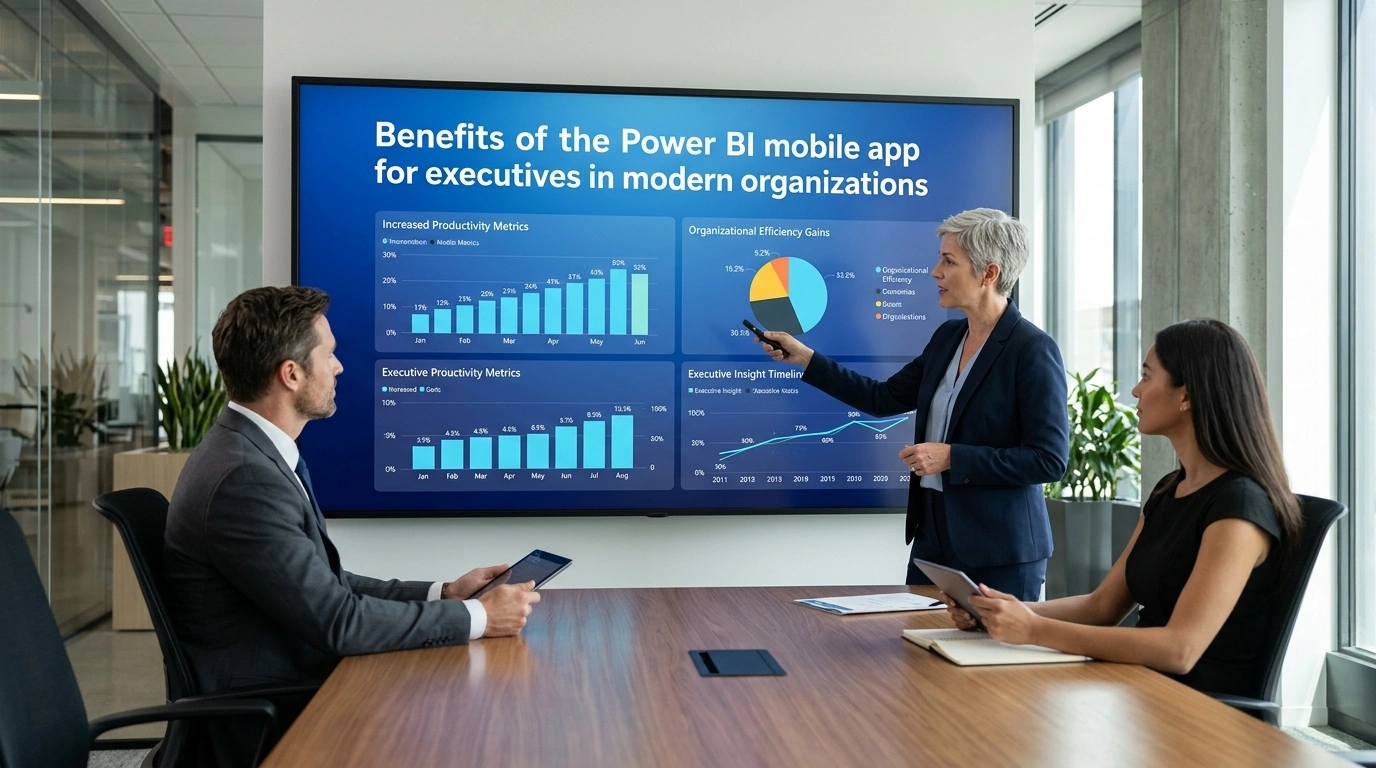
Leadership teams likewise reinforce organizational synchronization because shared dashboards and mobile reporting interfaces enable departments and regions to evaluate consistent datasets while discussing operational priorities and long-term strategic direction. Additionally, enterprise workflows improve communication efficiency by reducing delays associated with manually distributed reporting documents and fragmented spreadsheet-based workflows. In parallel, instant executive alerts and insights strengthen executive awareness by identifying unusual operational activity, revenue fluctuations, supply chain disruptions, or declining performance indicators requiring leadership attention. Moreover, the Power BI mobile app for executives supports modernization initiatives because the platform integrates naturally into broader digital transformation strategies focused on cloud analytics, enterprise mobility, and remote executive oversight.
Mobile dashboard optimization techniques further enhance reporting accessibility by adapting layouts, visual hierarchies, and KPI presentations according to smartphone and tablet viewing requirements without compromising analytical clarity. Consequently, responsive mobile interfaces improve executive productivity because simplified navigation supports time-sensitive business reviews conducted outside traditional office environments. Meanwhile, enterprise authentication systems, centralized access management, and secure cloud connectivity maintain governance consistency by protecting strategic organizational information accessed through mobile devices. Therefore, organizations strengthen executive performance and organizational adaptability by supporting executive mobile accessibility, real-time KPI monitoring, strategic mobility for enterprise leadership, and leadership agility through mobile BI environments aligned with modern enterprise transformation requirements.
Faster decision cycles supported by mobile business intelligence
Organizations reduce operational delays through direct access to live business metrics within the Power BI mobile app for executives, while supporting fast-response business intelligence workflows that depend on immediate visibility into evolving operational conditions. Furthermore, leadership teams strengthen agility through mobile BI because executives evaluate financial indicators, supply chain performance, customer trends, and service disruptions without waiting for scheduled reporting cycles or manually prepared summaries. Consequently, mobile analytics environments improve on-the-go executive decision-making by allowing leadership teams to review enterprise dashboards during travel, remote meetings, and executive briefings where traditional desktop access remains impractical. Meanwhile, instant executive alerts and insights accelerate strategic responsiveness by identifying unusual KPI behavior, declining operational efficiency, or emerging market disruptions requiring rapid leadership evaluation.
Enterprise systems likewise support real-time KPI monitoring by synchronizing finance, sales, logistics, and operational data streams directly into mobile reporting environments optimized for executive consumption. Additionally, the Power BI mobile app for executives strengthens executive coordination because leadership teams operating across multiple regions evaluate identical datasets while discussing organizational priorities and performance outcomes. In parallel, mobile business intelligence workflows improve remote executive oversight because continuous visibility into operational performance remains available regardless of executive location or travel schedules. Moreover, enterprise reporting structures support adaptability by reducing dependency on fragmented spreadsheet reporting and disconnected communication channels that often slow executive response cycles.
Mobile analytics environments further enhance strategic mobility for enterprise leadership because executives maintain awareness of rapidly changing business conditions during conferences, regional visits, and field operations. Consequently, organizations improve resilience through faster interpretation of operational signals and more responsive decision sequencing aligned with real-time business developments. Meanwhile, the Power BI mobile app for executives strengthens operational efficiency by connecting fast-response business intelligence workflows with continuous mobile access to strategic dashboards and enterprise reporting systems. Therefore, integrated mobile analytics environments support accelerated executive responsiveness and adaptive organizational planning aligned with contemporary executive leadership requirements through enterprise mobility strategies.
Secure data access and governance for executive mobile reporting
Organizations strengthen enterprise governance frameworks through secure mobile reporting capabilities integrated into the Power BI mobile app for executives, while supporting protected access to strategic business intelligence across distributed leadership environments. Furthermore, encrypted cloud communication, identity management systems, and enterprise authentication controls reinforce executive confidence in mobile analytics by securing executive mobile accessibility without limiting operational flexibility. Consequently, strategic mobility for enterprise leadership improves because executives increasingly depend on remote access to financial, operational, and performance-related dashboards while traveling between offices, conferences, and international business locations. Meanwhile, centralized permission structures improve governance consistency by regulating access to reports, KPI dashboards, and executive summaries according to organizational roles and reporting responsibilities.
Secure mobile reporting environments likewise strengthen remote executive oversight because leadership teams maintain visibility into enterprise operations while preserving compliance with internal governance policies and regulatory standards. Additionally, protected synchronization between enterprise systems and mobile analytics applications supports real-time KPI monitoring without exposing sensitive organizational data to unmanaged access environments. In parallel, synchronized governance settings, authentication controls, and reporting permissions reinforce cross-device reporting experience standards across smartphones, tablets, desktop systems, and cloud reporting platforms. Moreover, conditional access controls, device validation systems, and multi-factor authentication procedures reduce operational risk by monitoring login activity and user behavior across executive mobility environments.
Centralized auditing systems further improve enterprise accountability because report sharing activity, mobile access patterns, and executive interaction histories connected to sensitive organizational information remain continuously monitored. Consequently, enterprise modernization strategies contribute to stronger cybersecurity alignment by prioritizing secure mobile analytics and cloud-based executive reporting infrastructures. Meanwhile, the Power BI mobile app for executives strengthens governance value by aligning secure executive mobile accessibility with enterprise-wide compliance initiatives and remote leadership requirements. Therefore, protected mobile analytics environments support modern governance expectations through strategic oversight, cross-device reporting experience continuity, and enterprise operational intelligence.
Cross-platform usability on iOS, Android, and tablets
Organizations expand enterprise mobility capabilities through cross-platform functionality within the Power BI mobile app for executives, while supporting mixed-device ecosystems involving smartphones, tablets, and hybrid mobile workstations. Furthermore, optimized reporting interfaces strengthen executive mobile accessibility because the interfaces adapt consistently across iOS, Android, and tablet environments without requiring significant workflow adjustments or retraining initiatives. Consequently, cross-device reporting experience quality improves by maintaining consistent dashboard structures, KPI visibility, and navigation logic across multiple operating systems and screen sizes. Meanwhile, responsive layouts enhance mobile dashboard optimization by reorganizing visual elements according to device orientation, screen dimensions, and executive viewing behavior without reducing analytical clarity.
Executives likewise support leadership agility through mobile BI because seamless transitions between devices maintain continuous visibility into enterprise operations, strategic metrics, and organizational performance trends. Additionally, synchronized mobile reporting environments improve on-the-go executive decision-making because executives retain access during meetings, travel schedules, remote coordination sessions, and regional operational reviews. In parallel, flexible device compatibility strengthens strategic mobility for enterprise leadership because reporting continuity remains available regardless of hardware preferences or regional technology standards. Moreover, responsive mobile interfaces support real-time KPI monitoring through touch interaction, rapid dashboard filtering, and executive-level data interpretation.
Consistent reporting experiences across devices further improve enterprise scalability because broader organizational adoption of mobile analytics and remote leadership workflows becomes easier to implement. Consequently, organizations reduce friction associated with fragmented reporting environments that often emerge when departments and regional offices rely on inconsistent mobile application standards. Meanwhile, synchronized cross-device reporting environments reinforce remote executive oversight by preserving operational awareness during travel, hybrid work arrangements, and geographically distributed business activities. Therefore, the Power BI mobile app for executives strengthens enterprise mobility strategies through mobile dashboard optimization, cross-device reporting experience consistency, and executive mobile accessibility aligned with evolving organizational requirements supported by Power BI managed services.
Offline viewing capabilities and continuity during travel
Organizations strengthen executive continuity during travel through offline reporting capabilities integrated into the Power BI mobile app for executives, while supporting uninterrupted access to operational insights across remote and mobile work environments. Furthermore, synchronized dashboards improve strategic mobility for enterprise leadership because executives retain access during flights, regional travel, conferences, and field operations where network reliability often fluctuates. Consequently, offline reporting functions support remote executive oversight by preserving access to previously synchronized reports, KPI summaries, and operational dashboards even when internet connectivity becomes temporarily unavailable. Meanwhile, mobile analytics environments reinforce on-the-go executive decision-making because executives continue evaluating business performance indicators, financial trends, and operational developments without interruption caused by unstable mobile networks.
Offline viewing functions likewise strengthen leadership agility through mobile BI because executives reduce dependency on continuous cloud access during time-sensitive discussions and regional coordination activities. Additionally, recently viewed reports support fast-response business intelligence workflows by remaining accessible during urgent operational reviews conducted outside traditional office environments. In parallel, mobile reporting continuity improves executive preparedness because leadership teams maintain awareness of enterprise conditions while traveling between international offices, customer meetings, and strategic planning sessions. Moreover, synchronized offline datasets enhance executive mobile accessibility through optimization for smartphones and tablets used during transportation, hotel stays, and temporary workspaces.
Cached reporting environments further support real-time KPI monitoring continuity because visibility into recently updated performance indicators remains available until secure connectivity returns for synchronization. Consequently, organizations reduce operational disruption associated with inconsistent mobile internet access across geographically distributed business environments. Meanwhile, the Power BI mobile app for executives reinforces executive confidence by combining offline functionality with automated refresh processes that restore updated dashboards immediately after connectivity returns. Therefore, continuity-focused reporting environments support resilient enterprise mobility operations through remote executive oversight, strategic mobility for enterprise leadership, and uninterrupted access to real-time dashboards during travel conditions.
Power BI mobile app for executives and enterprise data accessibility
Enabling enterprise data accessibility through the Power BI mobile app for executives supports strategic mobility for enterprise leadership by allowing senior decision-makers to review governed business insights regardless of location, device, or operational circumstance. Extending executive mobile accessibility across smartphones and tablets also strengthens leadership agility through mobile BI because executives can evaluate revenue performance, operational efficiency, customer activity, and enterprise risk while remaining connected to continuously refreshed organizational data. Supporting this accessibility through Microsoft Power BI’s security architecture further ensures that remote executive oversight remains aligned with governance policies, workspace permissions, and enterprise compliance standards.
Connecting mobile experiences with real-time KPI monitoring additionally allows executives to observe performance fluctuations as they occur instead of waiting for delayed reporting cycles or manually distributed updates. Reinforcing this capability through interactive dashboards, touch-optimized filters, and streamlined mobile navigation also improves on-the-go executive decision-making by helping leadership teams move from strategic summaries to supporting details without depending on desktop environments. Maintaining a consistent cross-device reporting experience further allows executives to transition between mobile phones, tablets, laptops, and meeting-room displays while preserving report continuity and analytical context.
Supporting the Power BI mobile app for executives through responsive report layouts additionally improves readability because mobile-optimized visuals present essential indicators in a format suitable for rapid executive interpretation. Reducing dependency on static exports and disconnected spreadsheets also strengthens fast-response business intelligence workflows because leadership teams can access live dashboards directly from centralized enterprise datasets. Positioning the Power BI mobile app for executives within broader enterprise modernization initiatives therefore supports mobile-first leadership operations, accelerated awareness, and scalable decision support across distributed business environments supported by enterprise analytics transformation.
Role-based views that align reports with executive priorities
Aligning role-based views with executive priorities supports leadership efficiency by ensuring that each executive receives insights directly connected to organizational responsibilities, operational authority, and strategic objectives. Using row-level security, audience targeting, and workspace governance within the Power BI mobile app for executives also strengthens executive mobile accessibility because leadership teams can securely access highly relevant information without navigating unnecessary operational detail. Filtering reports according to regional responsibility, department ownership, financial scope, or strategic accountability further improves on-the-go executive decision-making by presenting concise analytical views that reflect immediate leadership concerns.
Supporting these tailored experiences through governed semantic models additionally reduces reporting inconsistency because executives consume standardized enterprise data rather than fragmented local reporting sources. Reinforcing role-based visibility through mobile dashboard optimization also improves usability by prioritizing the most critical KPIs, exceptions, and trend indicators for smaller screens and rapid review sessions. Aligning report structures with leadership workflows further supports leadership agility through mobile BI because executives can transition quickly between strategic summaries and supporting operational indicators while traveling, attending meetings, or responding to urgent developments.
Presenting focused KPI environments additionally strengthens real-time KPI monitoring by ensuring that financial leaders, operations executives, regional managers, and commercial directors each receive dashboards designed around their unique business priorities. Preserving governance through role-based permissions further supports remote executive oversight by limiting access to authorized information while maintaining enterprise-wide reporting consistency. Combining secure personalization with performance-focused report design therefore allows the Power BI mobile app for executives to function as a strategic leadership platform that balances confidentiality, speed, mobility, and enterprise-scale analytical precision through executive KPI strategy.
Integration with Microsoft services and enterprise workflows
Integrating Power BI with Microsoft services strengthens enterprise modernization initiatives by embedding analytics directly into the productivity environments already used by leadership teams and operational departments. Connecting the Power BI mobile app for executives with Microsoft Teams, Outlook, SharePoint, Excel, and Microsoft 365 also improves executive mobile accessibility because executives can move between reports, discussions, files, and collaboration workflows without leaving connected business platforms. Supporting these integrations through secure identity management and governed permissions further ensures that enterprise data remains protected while still supporting strategic mobility for enterprise leadership.
Embedding dashboards within Teams channels additionally improves fast-response business intelligence workflows because executives can review live operational insights during discussions, escalation reviews, and executive coordination meetings. Connecting mobile reporting experiences with Outlook notifications and Teams activity updates also strengthens instant executive alerts and insights by allowing leaders to respond quickly to financial anomalies, operational disruptions, or changing KPI conditions. Extending integration into Excel and PowerPoint further supports on-the-go executive decision-making because executives can combine governed analytics with presentations, forecasting exercises, and strategic review materials during meetings or remote work sessions.
Maintaining a seamless cross-device reporting experience across Microsoft applications additionally improves continuity by allowing executives to open the same reports from mobile phones, tablets, laptops, or conference-room environments without losing analytical context. Aligning the Power BI mobile app for executives with enterprise collaboration ecosystems also strengthens leadership agility through mobile BI because decisions, conversations, and analytical evidence remain connected inside unified workflows. Positioning the Power BI mobile app for executives within Microsoft’s wider enterprise ecosystem therefore supports intelligent workflow integration, accelerated executive responsiveness, and scalable business intelligence operations across modern organizations through enterprise collaboration workflows.
Collaboration through comments, sharing, and annotated insights
Supporting collaboration through comments, annotations, and secure sharing strengthens enterprise decision-making by transforming mobile analytics into an active communication environment rather than a passive reporting channel. Enabling executives to share governed dashboards and annotated report views through the Power BI mobile app for executives also improves executive mobile accessibility because leadership teams can exchange contextual insights while traveling, working remotely, or participating in distributed operational reviews. Connecting collaborative reporting workflows with Microsoft Teams further supports leadership agility through mobile BI because discussions, executive feedback, and analytical interpretation remain connected to live enterprise data instead of isolated screenshots or disconnected summaries.
Allowing executives to annotate visuals and highlight performance anomalies additionally improves on-the-go executive decision-making by helping recipients immediately identify which metrics, trends, or operational changes require attention. Supporting collaboration around real-time KPI monitoring also increases organizational responsiveness because executives, managers, and analysts can review the same governed metrics simultaneously while discussing corrective actions or strategic responses. Reinforcing these workflows through instant executive alerts and insights further accelerates communication when financial deviations, service interruptions, operational bottlenecks, or customer-impacting events emerge within enterprise systems.
Maintaining secure sharing controls through permissions and workspace governance additionally protects confidential information while still enabling broad collaboration across authorized leadership groups. Aligning collaboration features with mobile dashboard optimization also improves usability because annotated insights, comments, and shared visuals remain readable and actionable on smaller devices. Combining governed sharing, contextual commentary, and collaborative insight delivery therefore positions the Power BI mobile app for executives as a strategic communication environment that strengthens enterprise coordination, analytical alignment, and executive responsiveness supported by data visualization services.
Performance considerations for mobile report consumption
Optimizing report performance for mobile consumption supports enterprise mobility strategies because executives increasingly depend on fast, uninterrupted access to live business intelligence across distributed environments. Reducing dashboard complexity within the Power BI mobile app for executives also improves mobile dashboard optimization by ensuring that critical KPIs, trend indicators, and operational summaries remain readable on smaller screens without excessive scrolling or rendering delays. Prioritizing lightweight visuals, simplified navigation, and focused layouts further strengthens executive mobile accessibility because mobile users typically require immediate insight rather than dense analytical exploration.
Supporting report responsiveness through optimized semantic models additionally improves real-time KPI monitoring by reducing refresh delays and improving interaction speed during high-pressure executive reviews. Maintaining efficient report structures also strengthens fast-response business intelligence workflows because executives can evaluate operational conditions, financial movements, and strategic risks without waiting for overloaded dashboards to process complex calculations. Aligning mobile performance strategies with on-the-go executive decision-making further improves usability because leaders often access reports during meetings, travel, field visits, or urgent operational situations where rapid interpretation is essential.
Preserving a seamless cross-device reporting experience additionally helps executives transition between phones, tablets, and desktop environments while maintaining visual consistency and analytical continuity. Limiting unnecessary custom visuals, background processes, and excessive filtering layers also improves leadership agility through mobile BI because streamlined dashboards support faster navigation and clearer interpretation. Positioning performance optimization as a strategic requirement rather than a purely technical adjustment therefore allows the Power BI mobile app for executives to support scalable enterprise reporting, responsive leadership operations, and reliable real-time insight delivery across modern business environments through enterprise Power BI support.
Future-ready executive analytics with mobile BI insights
Reflecting current enterprise reporting practices, future-ready executive analytics increasingly depends on mobile BI that transforms dashboards into continuous decision-support environments rather than static reporting repositories. Supporting this transformation, the Power BI mobile app for executives strengthens executive mobile accessibility by allowing leadership teams to review operational, financial, and strategic indicators regardless of physical location or device type. Extending this capability, cross-device reporting experiences across smartphones and tablets help executives maintain continuity while moving between regional offices, board meetings, travel schedules, and hybrid work environments. Connecting mobility with enterprise responsiveness, real-time KPI monitoring enables leadership teams to evaluate revenue movement, operational efficiency, customer behavior, and risk exposure without waiting for scheduled reporting cycles.

Enhancing strategic mobility for enterprise leadership, mobile BI environments provide secure access to governed dashboards, collaborative annotations, alerts, and shared insights that support faster organizational coordination. Supporting on-the-go executive decision-making, mobile dashboards allow leaders to assess business conditions during time-sensitive operational events, market disruptions, or performance deviations. However, preserving long-term effectiveness requires more than simple mobile access because enterprise-scale executive analytics also depends on trusted semantic models, refresh governance, security architecture, and optimized report experiences. Consequently, mobile dashboard optimization plays a central role in balancing executive simplicity with analytical depth on smaller screens through Power BI solution architecture.
Strengthening leadership agility through mobile BI, responsive layouts and prioritized KPIs reduce unnecessary navigation friction and help executives focus on the indicators most relevant to strategic outcomes. Meanwhile, fast-response business intelligence workflows improve escalation speed by connecting alerts, collaboration features, and performance thresholds within the same reporting ecosystem. Reinforcing modernization goals, the Power BI mobile app for executives supports remote executive oversight by helping leadership teams maintain visibility into distributed operations, multi-region performance, and enterprise-wide execution from virtually any environment. Ultimately, future-ready executive analytics delivers greater business value when mobile BI functions as an integrated strategic platform that combines accessibility, governance, agility, and real-time insight delivery for modern enterprise leadership.
AI-assisted insights and anomaly detection in executive reporting
Supporting executive reporting modernization, AI-assisted insights and anomaly detection improve the ability of leadership teams to interpret complex business conditions through faster analytical guidance and automated pattern recognition. Building on enterprise AI capabilities, anomaly detection identifies unusual trends in financial, operational, or customer-related metrics and highlights performance deviations that may require immediate executive attention. Strengthening instant executive alerts and insights, the Power BI mobile app for executives allows leadership teams to receive notifications about threshold breaches, unusual KPI movement, or emerging operational risks directly on mobile devices. Connecting these features with fast-response business intelligence workflows, executives can evaluate urgent developments without waiting for formal reporting sessions or manually reviewing extensive dashboards.
Supporting on-the-go executive decision-making, AI-generated summaries and contextual explanations simplify the interpretation of large data volumes during travel, remote meetings, or time-sensitive leadership discussions. Enhancing leadership agility through mobile BI, conversational analytics and natural-language exploration reduce the time required to locate important business signals across multiple enterprise datasets. However, preserving executive trust requires governed data environments, certified metrics, and transparent model management because AI-assisted reporting remains dependent on data quality and contextual accuracy. Consequently, organizations frequently combine anomaly detection with role-specific dashboards, executive scorecards, and drill-through analysis to provide balanced visibility across strategic and operational dimensions.
Supporting remote executive oversight, mobile alerts and AI-assisted interpretations help leadership teams monitor distributed business units, regional operations, and enterprise service conditions without maintaining constant desktop access. Meanwhile, mobile dashboard optimization improves the clarity of AI-generated insights by presenting anomalies through concise visuals, simplified narratives, and focused KPI indicators suitable for smaller screens. Reinforcing enterprise responsiveness, the Power BI mobile app for executives contributes to strategic decision acceleration by connecting AI-driven insight generation with secure mobile accessibility and collaborative executive workflows. Ultimately, AI-assisted reporting strengthens the future readiness of executive analytics by helping organizations detect change faster, prioritize emerging risks more effectively, and improve leadership responsiveness across increasingly dynamic business environments through AI-driven executive analytics.
Customization strategies for concise executive scorecards
Guiding concise executive scorecards, customization strategies should align every mobile reporting layer with the priorities, responsibilities, and decision patterns of senior leadership rather than replicating highly detailed operational dashboards. Supporting this objective, the Power BI mobile app for executives enables organizations to create streamlined KPI environments that emphasize strategic outcomes, performance variance, and enterprise priorities through optimized mobile layouts. Strengthening mobile dashboard optimization, concise scorecards often prioritize large KPI indicators, simplified comparisons, trend visibility, and focused alerts that remain readable across different device sizes and viewing conditions. Connecting customization with executive efficiency, role-based reporting experiences help finance leaders, operations executives, regional managers, and board stakeholders access only the metrics relevant to their specific responsibilities.
Supporting executive mobile accessibility, curated scorecards reduce navigation complexity and improve visibility during meetings, travel, or remote oversight scenarios. Enhancing cross-device reporting experiences, responsive report designs preserve usability between smartphones, tablets, and hybrid working environments while maintaining consistent KPI interpretation. However, concise scorecards should still preserve analytical flexibility because executives often require supporting detail when performance deviations or operational risks appear within high-level metrics. Consequently, organizations frequently combine summary dashboards with drill-through capabilities, interactive filtering, and linked operational reports that support deeper investigation when needed.
Reinforcing leadership agility through mobile BI, customized scorecards allow decision-makers to move quickly between strategic indicators and supporting context without relying on multiple disconnected reporting systems. Supporting strategic mobility for enterprise leadership, personalization features such as bookmarks, curated workspaces, and prioritized alerts help executives maintain awareness of rapidly changing business conditions regardless of location. Meanwhile, fast-response business intelligence workflows improve collaboration by integrating secure sharing, annotations, and executive commentary directly within mobile reporting environments. Strengthening enterprise modernization efforts, the Power BI mobile app for executives delivers greater value when customization strategies prioritize clarity, responsiveness, governance, and executive relevance rather than excessive visual complexity through executive scorecard customization.
Adoption challenges and training needs for senior leadership
Revealing common adoption barriers, mobile executive analytics initiatives often face resistance when reporting environments fail to align with executive workflows, strategic priorities, or usability expectations. Poorly optimized mobile dashboards affect long-term engagement by creating navigation friction, inconsistent KPI interpretation, and reduced confidence in enterprise reporting systems. Supporting stronger adoption outcomes, the Power BI mobile app for executives benefits from structured leadership training that explains mobile navigation, alert management, report interaction, and secure collaboration practices within executive reporting environments. Connecting training with strategic relevance, organizations frequently achieve better adoption when onboarding reflects realistic executive scenarios such as remote performance oversight, financial escalation review, operational disruption monitoring, and regional KPI evaluation.
Supporting executive mobile accessibility, guided enablement helps leadership teams become more comfortable reviewing business intelligence from smartphones and tablets during travel, hybrid meetings, and distributed operational activities. Enhancing cross-device reporting experiences, training initiatives should clarify how mobile dashboards behave across different form factors while preserving consistency in metric interpretation and governance standards. However, adoption challenges may still emerge because senior leaders often expect concise visibility rather than highly technical analytical interfaces. Consequently, mobile dashboard optimization becomes essential when organizations attempt to simplify executive experiences without reducing analytical value.
Supporting leadership agility through mobile BI, streamlined layouts and focused KPI structures reduce cognitive overload and improve executive confidence during time-sensitive decision cycles. Meanwhile, concerns related to security, governance, notification fatigue, and AI-generated insight reliability may slow adoption if organizations fail to communicate governance controls clearly. Reinforcing remote executive oversight, secure mobile reporting allows leadership teams to monitor enterprise performance while remaining connected to approved datasets and centralized governance policies. Strengthening modernization readiness, the Power BI mobile app for executives becomes more effective when organizations treat executive adoption as a long-term leadership enablement strategy rather than a short-term technology deployment initiative supported by Power BI implementation strategy.
Measuring the business impact of mobile executive analytics
Measuring the business impact of mobile executive analytics requires evaluating how effectively mobile reporting improves leadership responsiveness, operational visibility, and enterprise decision efficiency. Supporting this evaluation, the Power BI mobile app for executives enables organizations to track how quickly leadership teams respond to changing business conditions after receiving mobile alerts, KPI updates, or anomaly notifications. Connecting business value with executive behavior, organizations often examine whether real-time KPI monitoring reduces escalation delays, shortens decision cycles, and improves coordination across departments or regional operations. Strengthening strategic mobility for enterprise leadership, mobile BI environments allow executives to remain connected to enterprise performance while traveling, attending external meetings, or managing distributed business activities.
Supporting remote executive oversight, mobile analytics can improve leadership continuity by maintaining visibility into financial, operational, and customer-related performance regardless of executive location. Enhancing fast-response business intelligence workflows, integrated alerts, annotations, and collaborative reporting tools help organizations reduce delays between issue identification and executive intervention. However, meaningful business impact measurement should extend beyond usage statistics alone because successful mobile analytics adoption also influences organizational agility, leadership alignment, and operational responsiveness. Consequently, many enterprises combine telemetry metrics, executive engagement analysis, workflow acceleration indicators, and qualitative leadership feedback when evaluating mobile BI success.
Supporting on-the-go executive decision-making, the Power BI mobile app for executives contributes to faster strategic reactions during supply-chain disruptions, financial fluctuations, customer-service incidents, or market-performance changes. Reinforcing leadership agility through mobile BI, concise dashboards and optimized mobile scorecards reduce reporting friction and help executives focus on the business indicators most relevant to strategic outcomes. Meanwhile, cross-device reporting experiences improve consistency by allowing executives to move between desktop and mobile reporting environments without losing analytical continuity. Strengthening enterprise modernization efforts, mobile executive analytics becomes increasingly valuable when organizations connect accessibility, responsiveness, governance, and decision acceleration into a unified leadership reporting framework supported by business intelligence roadmap.
The Power BI mobile app for executives continues to reshape executive analytics by combining mobile accessibility, real-time KPI monitoring, secure governance, and responsive reporting into a unified leadership intelligence environment. Supporting enterprise modernization initiatives, the platform enables executives to maintain visibility into operational performance, financial trends, and organizational risks regardless of location or device type. Strengthening leadership agility, mobile BI capabilities also improve collaboration, accelerate decision cycles, and support faster responses to changing business conditions through alerts, AI-assisted insights, and optimized executive dashboards. As organizations continue expanding remote leadership operations and enterprise mobility strategies, the Power BI mobile app for executives will remain a critical foundation for scalable, responsive, and future-ready executive decision support.