Professional Power BI Dashboard Development plays a central role in modern business intelligence by enabling organizations to transform complex, fragmented data into structured, actionable insights. As data volumes continue to grow and decision-making becomes increasingly time-sensitive, businesses require more than static reports—they need dynamic, scalable dashboards that deliver clarity, accuracy, and real-time visibility. Through the integration of data modeling, automation, and advanced visualization techniques, Power BI dashboards empower stakeholders to interpret performance metrics efficiently, reduce manual processes, and align analytics with strategic objectives. Consequently, investing in professional development practices is not simply a technical enhancement, but a critical step toward building a data-driven organization capable of sustained growth and informed decision-making.
Professional Power BI Dashboard Development: Turning Data Into Actionable Insights
Professional Power BI Dashboard Development is recognized across industries as a critical capability that enables organizations to convert complex datasets into structured, meaningful insights that support strategic objectives. Furthermore, the integration of data modeling, transformation, and visualization techniques ensures that information flows seamlessly from raw sources into user-friendly dashboards, and consequently allows decision-makers to interpret performance metrics quickly while reducing reliance on manual reporting and fragmented analysis.

Moreover, the use of real-time data connections and automated refresh cycles ensures that dashboards remain consistently aligned with current business conditions, while customization features such as role-based access and tailored visual layers enable each stakeholder to interact with relevant insights. Therefore, this development approach contributes to operational efficiency by minimizing errors and increasing analytical depth.
Subsequently, scalable architecture allows Professional Power BI Dashboard Development to adapt to growing data volumes and evolving business needs, and as a result ensures long-term value through sustainable analytics frameworks that continuously deliver actionable intelligence.
How Interactive Power BI Dashboards Improve Business Decision-Making
Interactivity within Professional Power BI Dashboard Development is widely acknowledged as a transformative factor in analytics, as it enhances user engagement and analytical precision, while dynamic filtering, drill-down capabilities, and cross-highlighting features allow users to explore data from multiple perspectives. Consequently, decision-makers identify trends, anomalies, and correlations more efficiently without requiring advanced technical expertise.
In addition, intuitive navigation and responsive design facilitate seamless transitions between data layers, thereby increasing confidence in decisions through context-rich insights that reduce ambiguity, while integration with advanced analytics tools enables businesses to incorporate AI-driven insights directly into dashboards within Professional Power BI Dashboard Development environments.
As a result, organizations foster proactive decision-making by anticipating changes rather than reacting to them, while continuous user interaction and feedback loops support dashboard evolution in alignment with changing analytical needs, thereby reinforcing a data-driven culture that supports strategic planning.
Transforming Raw Data Into Clear Visual Analytics With Power BI
The transformation process within Professional Power BI Dashboard Development is essential in modern data ecosystems, as it converts unstructured and complex datasets into coherent visual narratives, while data cleansing, normalization, and modeling ensure accuracy and consistency across all visual outputs. Consequently, visual analytics enhance interpretability by simplifying intricate relationships into charts, graphs, and maps that are easily understood.
Moreover, Power BI’s robust data connectors support the integration of multiple data sources into a unified analytical framework, thereby improving transparency and providing stakeholders with a comprehensive view of performance metrics, while iterative design and user feedback ensure that dashboards remain relevant and user-centric within Professional Power BI Dashboard Development processes.
As a result, organizations achieve stronger analytical clarity and better alignment between data insights and strategic goals, while continuous optimization of data models maintains dashboard performance even with large datasets, thereby supporting informed decision-making through clear and reliable visual analytics.
Key Elements of Effective Business Intelligence Dashboard Design
Effective design within Professional Power BI Dashboard Development is characterized by clarity, usability, and relevance, as it delivers insights without overwhelming users, while logical layout and visual hierarchy guide users toward the most critical information. Consequently, well-structured designs reduce cognitive load and improve comprehension and retention.
In addition, consistent formatting and standardized metrics ensure uniformity across reports, thereby enhancing trust in data through accurate and reliable representations, while user-centric design principles ensure that Professional Power BI Dashboard Development aligns dashboards with specific business roles and requirements.
As a result, usability and adoption improve, enabling organizations to maximize the value of their analytics investments, while continuous refinement and usability testing support dashboard evolution in response to user expectations, thereby ensuring sustained effectiveness in dynamic business environments.
Using Data Visualization Best Practices in Power BI Reports
The application of best practices within Professional Power BI Dashboard Development is fundamental to effective reporting, as it ensures that data is communicated clearly and accurately, while appropriate chart selection and the avoidance of unnecessary complexity enhance visual clarity. Consequently, well-designed visuals improve user understanding by conveying insights efficiently and without confusion.
Furthermore, the application of color theory and accessibility considerations ensures that dashboards remain inclusive and easy to interpret, thereby strengthening communication through visual consistency that reinforces key messages across reports, while continuous optimization and performance tuning maintain efficiency within Professional Power BI Dashboard Development even when handling large datasets.
As a result, organizations benefit from high-quality reporting experiences that combine visual appeal with analytical robustness, while alignment with business goals and audience needs enhances relevance and clarity, thereby supporting long-term analytical effectiveness through consistent and structured insight generation.
Why Does Professional Power BI Dashboard Development Improve Data Accuracy and Clarity?
Enhancing data accuracy relies on structured methodologies that define how datasets are collected, validated, and visualized, and this approach consequently ensures that Professional Power BI Dashboard Development aligns raw inputs with business logic. Improving clarity follows naturally as carefully modeled dashboards transform complex datasets into interpretable visuals, while simultaneously reducing ambiguity across organizational reporting layers. Establishing consistent data definitions further strengthens trust in outputs, and this consistency therefore allows stakeholders to interpret metrics without conflicting assumptions. Integrating validation rules across pipelines additionally minimizes discrepancies, and this integration as a result reinforces the reliability expected from Professional Power BI Dashboard Development in enterprise environments.
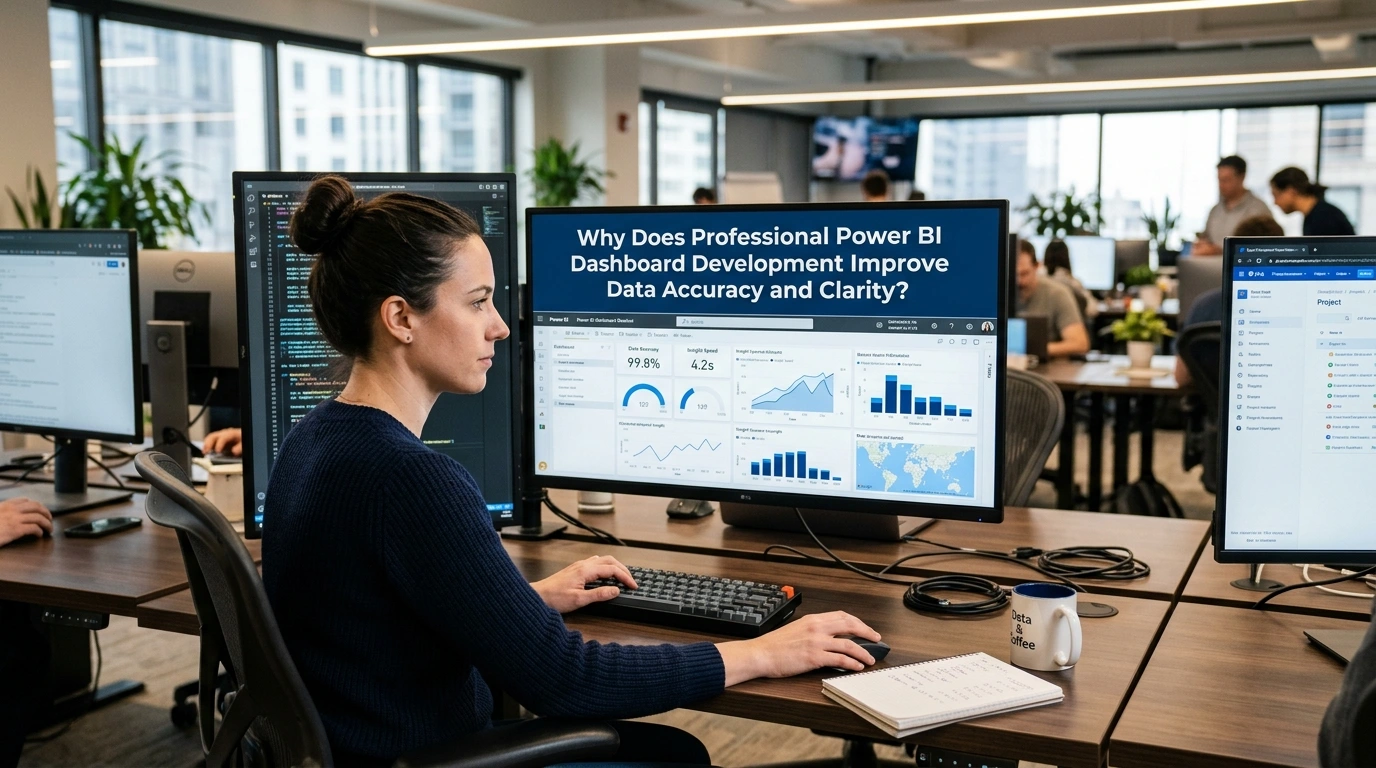
Aligning visualization standards with user expectations also contributes to clarity, while this alignment ensures that each chart or KPI communicates a single, precise message. Reducing cognitive overload subsequently enhances usability, and this reduction thus enables decision-makers to extract insights quickly without misinterpretation. Strengthening governance frameworks further ensures that data sources remain controlled and auditable, and this strengthening consequently reduces the likelihood of errors propagating across reports. Encouraging collaboration between data engineers and analysts also improves semantic consistency, while this collaboration aligns technical structures with business needs.
Leveraging automation tools within Power BI pipelines additionally limits manual intervention, and this limitation therefore decreases the probability of human error in reporting workflows. Maintaining synchronization between data refresh cycles and reporting requirements further ensures that dashboards reflect real-time or near-real-time accuracy, and this maintenance as a result supports timely decisions. Supporting scalability in data handling also allows dashboards to maintain clarity even as datasets grow, while this support preserves performance and responsiveness. Reinforcing documentation practices across datasets and transformations further contributes to transparency, and this reinforcement thus ensures that Professional Power BI Dashboard Development remains sustainable and interpretable over time.
Eliminating Data Silos Through Integrated Power BI Data Models
Breaking down data silos requires unified data models that consolidate disparate sources into a single semantic layer, and this consolidation consequently allows Professional Power BI Dashboard Development to provide a holistic organizational view. Connecting multiple databases through centralized modeling techniques further enhances accessibility, while this connection ensures that users interact with consistent datasets. Standardizing relationships between tables additionally improves data integrity, and this standardization therefore prevents duplication or fragmentation across reports. Leveraging shared datasets within Power BI also promotes reuse, while this approach reduces redundancy in development efforts.
Aligning data governance policies across departments further strengthens integration, and this alignment consequently ensures that all teams rely on the same definitions and structures. Enabling cross-functional reporting capabilities also enhances collaboration, while this capability allows insights to flow seamlessly between departments. Supporting real-time data connectivity additionally reduces latency between systems, and this support therefore ensures timely updates across dashboards. Utilizing cloud-based storage solutions further enhances scalability, while this utilization maintains centralized control over data assets.
Encouraging interoperability between tools and platforms also reduces dependency on isolated systems, and this encouragement thus supports a more cohesive analytics environment. Reinforcing metadata management practices further clarifies data lineage, while this reinforcement enables users to trace information back to its origin. Strengthening security protocols across integrated models also protects sensitive data, and this strengthening consequently ensures compliance with regulatory standards. Expanding integration capabilities over time further supports evolving business needs, while this expansion maintains the consistency required for Professional Power BI Dashboard Development to deliver accurate and unified insights.
Ensuring Reliable Metrics With Structured Data Transformation
Establishing reliable metrics depends on structured data transformation processes that clean, normalize, and standardize raw inputs, and this dependency consequently ensures that Professional Power BI Dashboard Development produces trustworthy outputs. Applying consistent transformation rules across datasets further eliminates inconsistencies, while this application aligns calculations with predefined business logic. Validating data at each transformation stage additionally reduces errors, and this validation therefore strengthens confidence in final metrics. Utilizing Power Query and ETL pipelines also automates repetitive tasks, while this utilization minimizes manual intervention that could introduce inaccuracies.
Defining clear calculation logic for KPIs further enhances transparency, and this definition consequently allows stakeholders to understand how metrics are derived. Maintaining version control over transformation scripts also ensures reproducibility, while this maintenance enables teams to track changes over time. Integrating data quality checks within workflows further detects anomalies early, and this integration thus prevents flawed data from reaching dashboards. Leveraging incremental data refresh techniques additionally improves performance, while this approach ensures that updates remain efficient and accurate.
Aligning transformation processes with governance standards further supports compliance, and this alignment consequently ensures consistency across reporting environments. Encouraging collaboration between technical and business teams also refines metric definitions, while this collaboration aligns outputs with real-world requirements. Documenting transformation logic thoroughly further enhances maintainability, and this documentation therefore supports long-term sustainability of Professional Power BI Dashboard Development initiatives. Expanding transformation frameworks as data complexity grows also ensures adaptability, while this expansion preserves the integrity and reliability of metrics across evolving datasets.
Building Scalable Power BI Reporting Solutions for Growing Data
Designing scalable reporting solutions involves creating architectures that can handle increasing data volumes without compromising performance, and this design consequently ensures that Professional Power BI Dashboard Development remains effective over time. Optimizing data models through techniques such as star schemas further enhances efficiency, while this optimization reduces query complexity. Leveraging data aggregation strategies also improves responsiveness, while this approach ensures that large datasets do not slow down dashboards. Implementing incremental refresh policies further supports scalability, and this implementation therefore allows systems to process only new or changed data.
Utilizing cloud infrastructure additionally enables elastic resource allocation, while this utilization accommodates growth in both data and user demand. Standardizing development practices across teams also promotes consistency, while this standardization simplifies maintenance and expansion efforts. Monitoring performance metrics continuously further identifies bottlenecks, and this monitoring consequently allows timely optimization. Integrating advanced indexing and caching techniques also enhances speed, while this integration improves user experience across reports.
Supporting multi-user access through robust architecture further ensures reliability, while this support prevents system overload. Aligning scalability strategies with organizational growth plans also ensures long-term relevance, and this alignment thus supports evolving analytical needs. Encouraging modular dashboard design further simplifies updates, while this approach allows individual components to scale independently. Maintaining flexibility in data connections additionally supports integration with new sources, and this maintenance therefore ensures adaptability in Professional Power BI Dashboard Development.
Avoiding Common Dashboard Design Mistakes in Business Intelligence
Preventing common dashboard design mistakes requires adherence to visualization best practices that prioritize clarity and usability, and this adherence consequently ensures that Professional Power BI Dashboard Development delivers meaningful insights. Reducing excessive visual elements further enhances readability, while this reduction prevents user distraction. Aligning color schemes with intuitive meaning also improves interpretation, while this alignment ensures consistency across reports. Avoiding overcrowded layouts additionally enhances focus, and this avoidance therefore allows users to identify key metrics more effectively.
Structuring dashboards with logical flow further guides user interaction, while this structure ensures that information is consumed in a coherent sequence. Limiting the number of KPIs displayed simultaneously also reduces cognitive load, while this limitation improves decision-making efficiency. Ensuring proper labeling and annotation further clarifies context, and this assurance consequently prevents misinterpretation of data. Utilizing appropriate chart types for specific datasets also enhances accuracy, while this utilization ensures that visualizations align with analytical intent.
Testing dashboards with real users further identifies usability issues, and this testing therefore supports continuous improvement. Maintaining consistency in formatting across reports also strengthens user familiarity, while this maintenance reduces the learning curve. Incorporating responsive design principles further ensures accessibility across devices, and this incorporation consequently enhances user engagement. Updating dashboards regularly to reflect changing requirements also maintains relevance, while this updating ensures that Professional Power BI Dashboard Development continues to meet business objectives.
Professional Power BI Dashboard Development for Scalable Business Intelligence
Driving consistent decision-making across organizations, professional implementations establish Professional Power BI Dashboard Development as a foundational component of scalable business intelligence ecosystems while ensuring alignment between data visualization and long-term strategic objectives. Supporting this approach, structured data models enable efficient querying and reduce redundancy, thereby improving performance across large datasets while maintaining data consistency. Enhancing usability further, intuitive dashboard layouts facilitate rapid comprehension of insights while preserving uniform design standards across departments.

Strengthening governance, role-based access controls ensure that sensitive data remains secure while allowing relevant stakeholders to interact with tailored views suited to their responsibilities. Advancing scalability, cloud-based deployment through Power BI Service enables seamless expansion as data volumes grow while reducing infrastructure complexity and associated costs. Reinforcing analytical depth, integrated key performance indicators and drill-through capabilities allow users to explore granular insights without losing contextual continuity, while shared workspaces and embedded dashboards promote cross-functional collaboration and support continuous feedback exchange.
Encouraging adaptability, modular dashboard frameworks allow organizations to update metrics and visual components without requiring full system redesigns, thereby reducing maintenance efforts and operational disruption. Supporting performance optimization, data aggregation and indexing techniques minimize load times while improving responsiveness across multiple devices and user environments. Strengthening strategic value, continuous monitoring and iterative enhancements ensure that Professional Power BI Dashboard Development evolves in alignment with changing business requirements while maintaining accuracy, reliability, and long-term relevance.
Designing Custom Power BI Dashboards for Different Business Departments
Addressing diverse operational requirements, customized dashboards ensure that Professional Power BI Dashboard Development delivers targeted insights aligned with specific departmental functions while maintaining coherence with broader organizational objectives. Supporting financial analysis, revenue tracking and forecasting visualizations provide clarity on financial performance while enabling data-driven budgeting and planning decisions. Enabling marketing evaluation, campaign performance dashboards highlight engagement metrics while revealing patterns in customer behavior and conversion dynamics.
Enhancing operational efficiency, supply chain dashboards monitor inventory levels and logistics performance while identifying inefficiencies and delays in real time. Strengthening human resource management, workforce analytics dashboards present employee performance indicators and retention metrics while supporting evidence-based strategic planning. Facilitating customization, flexible data modeling enables each department to define relevant key performance indicators while maintaining consistency within a unified data framework.
Improving usability further, role-specific interfaces ensure that users interact only with information relevant to their functions while reducing cognitive load and improving navigation efficiency. Reinforcing effectiveness, iterative feedback from end users refines dashboard configurations while ensuring alignment with practical operational needs. Enhancing long-term value, tailored implementations reinforce the impact of Professional Power BI Dashboard Development while promoting the adoption of data-driven practices across all business units.
Integrating Multiple Data Sources Into a Unified BI Platform
Consolidating fragmented data environments, integration processes position Professional Power BI Dashboard Development as a centralized platform for unified analytics while enabling consistent reporting across multiple systems. Supporting data diversity, connectors facilitate seamless ingestion from databases, cloud services, application programming interfaces, and on-premises systems while preserving structural integrity. Enhancing transformation capabilities, Power Query enables data cleansing and restructuring while standardizing formats for accurate analysis.
Strengthening consistency, data warehousing solutions such as Azure Synapse or SQL Server provide centralized storage environments while improving query performance and scalability. Facilitating interoperability, integration pipelines ensure that disparate data sources communicate effectively while reducing duplication and minimizing errors. Improving reliability, scheduled synchronization processes maintain data accuracy while limiting discrepancies between interconnected systems.
Supporting scalability, incremental data loading techniques optimize processing efficiency while accommodating large and continuously expanding datasets. Enhancing analytical depth, unified datasets enable cross-functional insights while supporting complex reporting requirements and multidimensional analysis. Strengthening strategic outcomes, seamless integration increases the effectiveness of Professional Power BI Dashboard Development while enabling organizations to extract actionable intelligence from complex and distributed data ecosystems.
Automating Data Refresh and Real-Time Reporting in Power BI
Ensuring timely insights, automation mechanisms establish Professional Power BI Dashboard Development as a dynamic reporting environment while reducing dependence on manual data updates. Supporting operational efficiency, scheduled refresh configurations maintain current datasets while minimizing delays in reporting cycles and improving data availability. Enhancing responsiveness, real-time streaming datasets enable dashboards to reflect live changes in underlying data while supporting immediate and informed decision-making.
Strengthening reliability, gateway configurations securely connect on-premises data sources with cloud environments while enabling continuous synchronization and data consistency. Improving performance, incremental refresh techniques reduce processing time while optimizing resource utilization for large-scale datasets. Facilitating proactive monitoring, alert systems notify stakeholders of significant changes in key metrics while enabling timely responses to emerging conditions.
Enhancing scalability, automated workflows accommodate increasing data volumes while maintaining system stability and performance. Reinforcing business agility, continuous data updates strengthen the effectiveness of Professional Power BI Dashboard Development while enabling organizations to respond rapidly to operational changes. Supporting long-term efficiency, reduced manual intervention allows analytical teams to focus on interpretation and strategic evaluation rather than routine data preparation tasks.
Leveraging Advanced Power BI Features for Enterprise Analytics
Unlocking deeper analytical capabilities, advanced features position Professional Power BI Dashboard Development as a robust solution for enterprise-level analytics while supporting complex and data-intensive decision-making processes. Enhancing analytical precision, Data Analysis Expressions enable sophisticated calculations while supporting the creation of customized metrics aligned with business requirements. Supporting predictive analytics, integration with machine learning models provides forecasting capabilities while revealing underlying patterns and relationships within datasets.
Improving visualization depth, custom visuals and advanced charting techniques present data in structured and meaningful formats while increasing interpretability and user engagement. Strengthening data exploration, drill-down and drill-through functionalities enable navigation across hierarchical datasets while preserving analytical context. Facilitating collaboration, embedded analytics and integration with collaboration platforms support efficient sharing of insights while strengthening organizational coordination.
Supporting governance, advanced security mechanisms such as row-level security ensure controlled access to data while maintaining compliance with regulatory requirements. Enhancing strategic value, these capabilities expand the functional scope of Professional Power BI Dashboard Development while enabling progression from descriptive analytics toward predictive and prescriptive analytical models. Strengthening enterprise impact, continuous platform enhancements support adaptability to evolving analytical demands while maintaining consistency and reliability across large-scale implementations.
How Professional Power BI Dashboard Development Enhances Strategic Decision-Making
Organizations transform fragmented data into unified, interactive visual environments that support timely and informed choices, while reinforcing the value of Professional Power BI Dashboard Development in structuring complex datasets into coherent analytical views. Executives gain real-time visibility into operational and financial metrics, thereby allowing quicker responses to emerging trends and risks and consequently strengthening strategic agility across departments. Analytical capabilities facilitate deeper analysis through drill-down features and dynamic filtering, which in turn help decision-makers uncover root causes and patterns that might otherwise remain hidden in static reports.

Standardized data interpretations support cross-functional collaboration, thus reducing ambiguity and ensuring alignment across leadership teams while simultaneously improving communication between business units. Integrated historical and predictive data enhances forecasting accuracy, which subsequently allows organizations to anticipate market changes and allocate resources more effectively. Embedded data validation and consistency rules strengthen governance, thereby ensuring that decisions rely on reliable and accurate information.
Scenario modeling capabilities encourage analysis by enabling users to simulate different business conditions, which improves preparedness for uncertainty and competitive pressures while increasing confidence in strategic planning. Automated reporting processes promote efficiency, thus freeing analytical resources for higher-value strategic tasks. Intuitive design and user-friendly interfaces reinforce organizational confidence in analytics, which drives broader adoption of data-driven practices while highlighting the importance of Professional Power BI Dashboard Development in delivering scalable and adaptable solutions.
Using KPI Tracking Dashboards to Monitor Business Performance
Centralized dashboards provide structured visibility into key performance indicators by consolidating critical metrics into a single interface, while emphasizing how Professional Power BI Dashboard Development ensures accuracy and consistency in KPI tracking systems. Continuous monitoring systems enable tracking of performance trends across departments, thereby allowing organizations to detect deviations early and respond proactively. Clearly defined KPI ownership supports accountability, which improves operational discipline and performance management.
Well-defined visualizations enhance clarity through elements such as trend lines and comparative charts, thus making complex data easily interpretable for stakeholders at all levels while reducing the likelihood of misinterpretation. Benchmarking practices facilitate comparisons between current performance and historical data or industry standards, which helps organizations identify areas for improvement. Accessible and transparent performance insights encourage a data-driven culture, thereby fostering informed discussions and collaborative problem-solving.
Automated KPI updates strengthen reporting efficiency by reducing manual effort and minimizing reporting delays while improving overall responsiveness. Direct linkage between KPIs and strategic objectives improves decision-making quality, thus ensuring that performance measurement aligns with broader business goals. Customized KPI frameworks highlight the role of Professional Power BI Dashboard Development in addressing specific organizational needs, thereby enhancing relevance and usability while reinforcing continuous performance improvement.
Turning Business Data Into Predictive Insights With Power BI Analytics
Advanced analytics capabilities transform raw and historical data into forward-looking insights, while demonstrating how Professional Power BI Dashboard Development integrates predictive modeling into business intelligence workflows. Pattern recognition and correlation analysis enable organizations to identify relationships within large datasets, thereby uncovering opportunities and risks that influence future outcomes. Machine learning models and statistical techniques support forecasting processes, which enhance planning accuracy and resource allocation.
Intuitive visual formats facilitate proactive decision-making by presenting predictive insights, thus allowing stakeholders to act before challenges escalate while improving responsiveness to change. Integrated analytical approaches enhance depth by combining descriptive, diagnostic, and predictive analytics within a single platform, which provides a comprehensive understanding of business dynamics. Market anticipation capabilities improve competitiveness by enabling organizations to anticipate trends and customer behavior, thereby informing strategic initiatives and innovation efforts.
Comprehensive data integration strengthens predictive accuracy by connecting diverse data sources, which enriches predictive models and improves their reliability while ensuring consistency across analytical outputs. Interpretable and actionable predictive outputs highlight the importance of Professional Power BI Dashboard Development in bridging the gap between data science and business strategy. Continuous refinement of predictive models based on new data inputs encourages learning, thus improving accuracy over time and reinforcing long-term strategic foresight.
Improving Executive Reporting With Clear Data Storytelling
Structured data presentation enhances executive communication by transforming complex datasets into coherent narratives, while illustrating how Professional Power BI Dashboard Development organizes information to support clarity and engagement. Well-designed visual hierarchies enable leaders to quickly grasp key insights, thereby reducing cognitive load and improving comprehension. Combined use of visuals, annotations, and contextual explanations supports storytelling, which conveys the significance of data in relation to business objectives.
Standardized reporting formats facilitate alignment by ensuring that all stakeholders interpret data in the same manner while reducing inconsistencies in reporting practices. Highlighted insights and trends improve decision-making speed, which allows executives to focus on high-impact issues. Transparent and accurate data strengthens credibility, thereby building trust in reported information and reinforcing confidence in analytical outputs.
Interactive elements encourage engagement by allowing users to explore data dynamically, which enhances understanding and retention while promoting deeper analysis. Balanced report design highlights the role of Professional Power BI Dashboard Development in combining aesthetics with functionality, thereby maximizing usability and impact. Reduced reliance on lengthy textual reports promotes efficiency, thus allowing executives to access critical information quickly and align decisions with strategic priorities.
Aligning Power BI Dashboards With Organizational Goals and Metrics
Strategic alignment ensures that analytical outputs directly support organizational priorities by mapping dashboard metrics to defined objectives, while emphasizing the importance of Professional Power BI Dashboard Development in achieving this alignment. Clearly defined measurable indicators enable clarity by reflecting business goals, thereby ensuring that all stakeholders understand performance expectations. Integrated data frameworks support strategic coherence by combining information from multiple functions, which aligns departmental efforts with overarching objectives.
Role-based metric assignment enhances accountability by linking performance indicators to specific responsibilities, thus encouraging ownership and performance tracking while improving transparency across teams. Real-time performance insights facilitate evaluation by allowing organizations to assess goal achievement and adjust strategies as needed. Relevant and focused insights strengthen decision-making by ensuring alignment with business priorities, thereby reducing noise and concentrating attention on critical factors.
Standardized metric definitions and calculation methods promote consistency, which improves comparability and reliability while supporting long-term performance tracking. Customized dashboard configurations highlight the value of Professional Power BI Dashboard Development in reflecting unique organizational structures and goals, thereby increasing relevance and effectiveness. Ongoing review and refinement of metrics encourage continuous improvement, thus ensuring that dashboards evolve with changing business needs and sustain strategic alignment over time.
In an environment where data complexity and speed of decision-making continue to intensify, organizations must rely on structured, scalable, and user-centric analytics solutions to remain competitive. From improving data accuracy and eliminating silos to enabling real-time insights and strategic alignment, the value delivered through well-designed dashboards is both immediate and long-term. By combining robust data transformation processes, intuitive visualization, and enterprise-level scalability, businesses can ensure that their analytics frameworks remain reliable and adaptable. Ultimately, Professional Power BI Dashboard Development stands as a foundational capability that not only enhances reporting efficiency but also drives smarter decisions, stronger collaboration, and sustainable business success.